Create product images and campaign visuals from text, or upload references and describe the details you want to change.
Flare & Sunburst · 1K / 2K / 4K · For Pro / Premium subscribers
Text-to-image & reference editing
0 / 20,000
Estimated cost: 3 credits ·
Illustrative example
Flare or Sunburst: which should you choose?
Flare
Choose Flare to generate from text or edit reference images. Move between creation and refinement in one workflow.
Sunburst
Explore product and brand concepts from a written brief. Sunburst currently supports text-to-image on this site; switch to Flare for references.
Give your subject, details and composition a clear direction
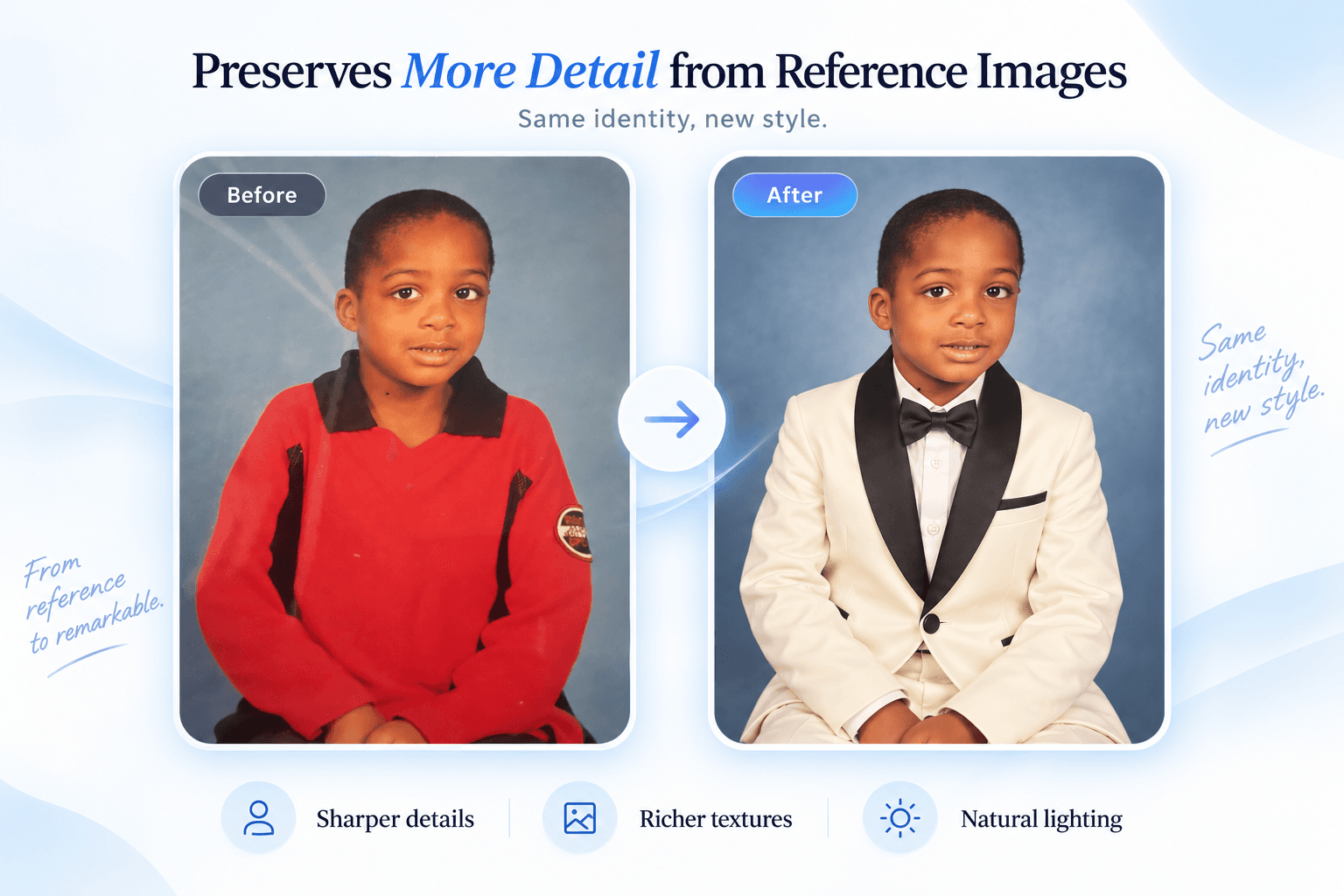
Reference-led editing: change the style, retain recognizable features
The outfit example illustrates continuity with a reference. Specify the facial features, product shape or details to preserve before describing a new outfit, setting or lighting. References guide the result; exact preservation is not guaranteed.
Example prompt
“Keep the person’s facial features and pose. Change the outfit to a white formal suit and preserve natural skin texture.”
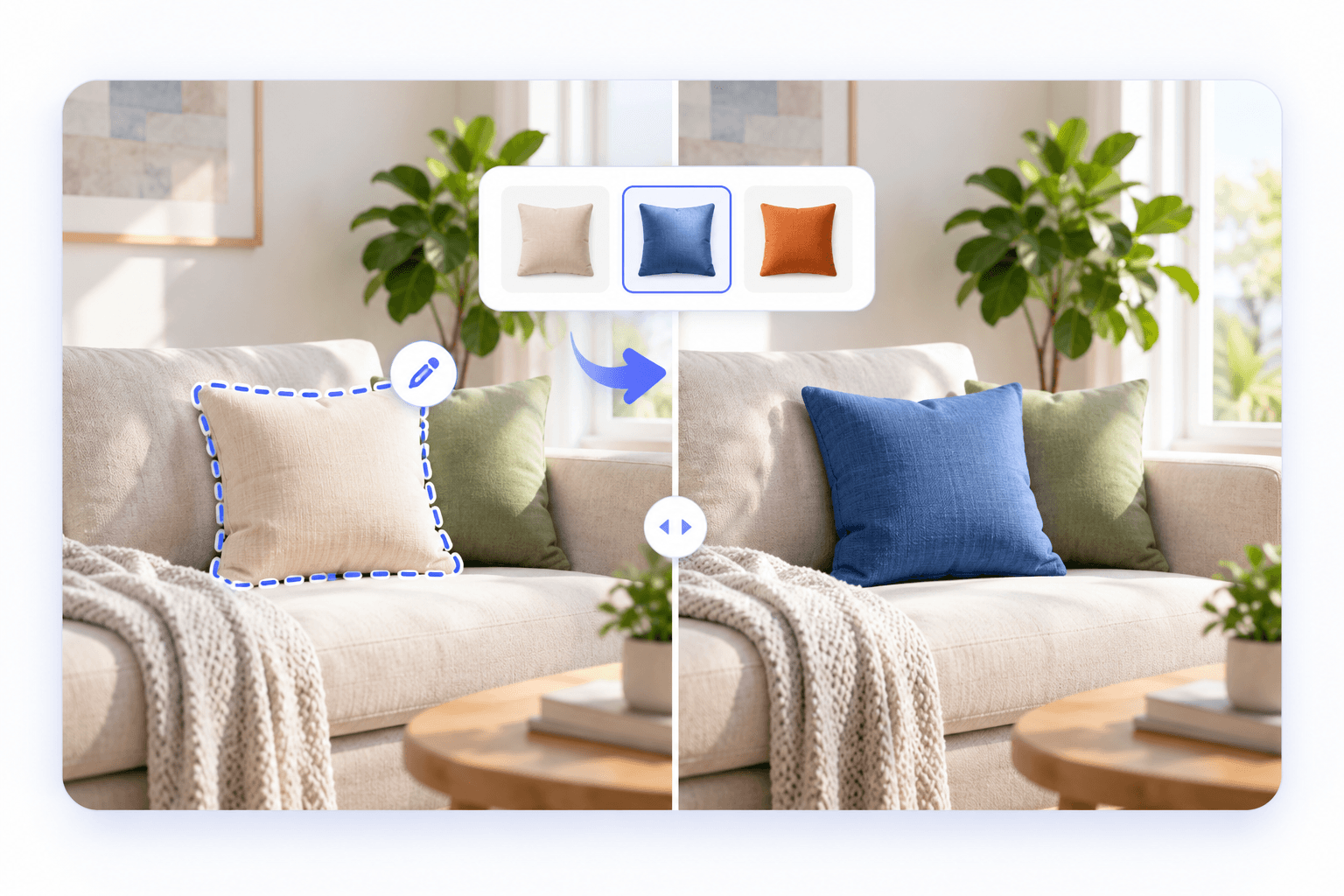
Targeted changes: say what should change and what should stay
Identify a color, material or object to adjust, then describe the composition and surroundings to retain. The selection is illustrative: this site uses written instructions, not a brush or mask editor. Inspect the surrounding details afterward.
Example prompt
“Change only the front beige cushion to blue. Keep its fabric texture, the sofa, other cushions and existing lighting.”
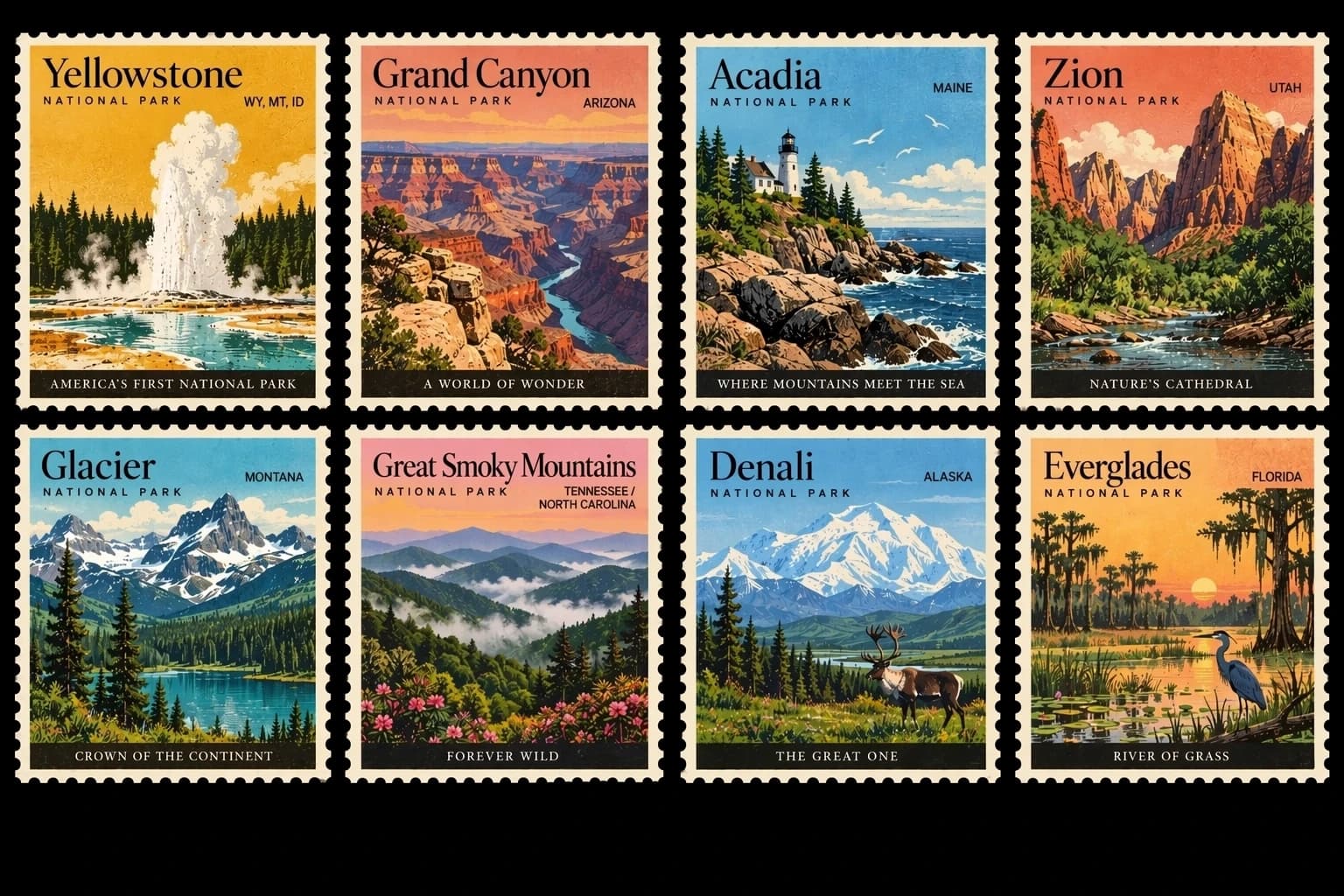
Text-to-image: bring layout, lettering and style into one brief
The stamp collection illustrates multiple subjects and titles within a consistent visual style. Describe the number of panels, arrangement, text and treatment to explore posters, information graphics and coordinated visuals. Check spelling, facts and layout before publishing.
Example prompt
“Create eight national park stamps in two rows of four, with vintage travel illustrations and a readable park title on each stamp.”
Illustrative examples, not independent SeedreamAI tests. Results vary by input; the generator controls define the features available here.
GPT Image 2.5 credits and resolution
1K
3 credits / image
2K
5 credits / image
4K
8 credits / image
All three endpoints share these prices. References cost no extra. A subscription unlocks access; each generation still uses account credits.
How to generate or edit an image
01
Choose a model
Use Flare for reference edits; either variant can generate from text.
02
Describe your image
Define the subject, layout and style. For edits, explain what to keep and change.
03
Review and generate
Choose resolution and ratio, check the credit cost and submit. Find results in your history.
GPT Image 2.5 frequently asked questions
What is GPT Image 2.5 used for?
It is an image generation and editing model family integrated into SeedreamAI. Create product imagery, campaign concepts and social visuals from text, or use Flare to edit references.
How do Flare and Sunburst differ on this site?
Flare supports text-to-image and reference editing, switching endpoints when you add images. Sunburst currently supports text-to-image only here. The site will not silently substitute a different model.
Can I use GPT Image 2.5 for free?
Generating with GPT Image 2.5 requires an eligible Pro or Premium subscription and sufficient account credits. You can browse this page and the examples without subscribing. The older GPT Image 2 remains outside this VIP restriction.
Which subscriptions unlock it? Do credit packs qualify?
Eligible Pro and Premium subscriptions unlock access. Premium uses the internal plan ID max. Buying credits alone does not qualify. A subscription scheduled to cancel remains eligible until it actually ends.
How many credits do 1K, 2K and 4K cost?
Each image costs 3, 5 or 8 application credits respectively. Flare generation, Flare editing and Sunburst generation share these prices. References do not add a surcharge.
How many reference images can I upload?
Flare accepts 1–16 JPEG, PNG or WebP reference images, up to 4MB each. Upload only images you have permission to use and avoid unnecessary personal information.
Which aspect ratios are supported? What does auto mean?
Choose auto, 1:1, 3:2, 2:3, 16:9, 9:16, 4:3, 3:4, 21:9, 27:16, 16:27, 9:8 or 8:9. Auto lets the model select an appropriate ratio; select a fixed ratio for a specific placement.
How can I change a background or color while retaining the subject?
Upload a reference to Flare and separately explain what to preserve and what to change. This site uses text instructions rather than brush selections. Inspect the result because other details may still change.
Are credits returned if generation fails?
Confirmed failed tasks return charged credits through the existing refund flow. A queued or unconfirmed task is not necessarily a failure. Check its history status before submitting again.
Can I refine a generated image?
Download it, upload it as a Flare reference and describe the next change. Each submission is charged separately; this site does not automatically retain a multi-turn conversation.
How long can a prompt be? Can I write in Chinese?
Prompts support up to 20,000 characters and may be written in English or Chinese. Describe the subject, purpose and composition first, then add style, lighting and constraints.
Is generation speed or exact detail preservation guaranteed?
No. Queues, resolution and service conditions affect completion time, and results can deviate from instructions. Examples illustrate capabilities, not independent site benchmarks or guarantees.
Make your next image with GPT Image 2.5
Choose a model, describe your idea and review the credit cost.